Your Xero reconciliation doesn't match the bank. Here's the order to check
Three balances, and they disagree. Which one is wrong, how to tell, and the Xero-specific traps — bank rules, date boundaries and import overlaps — that cause most of it.
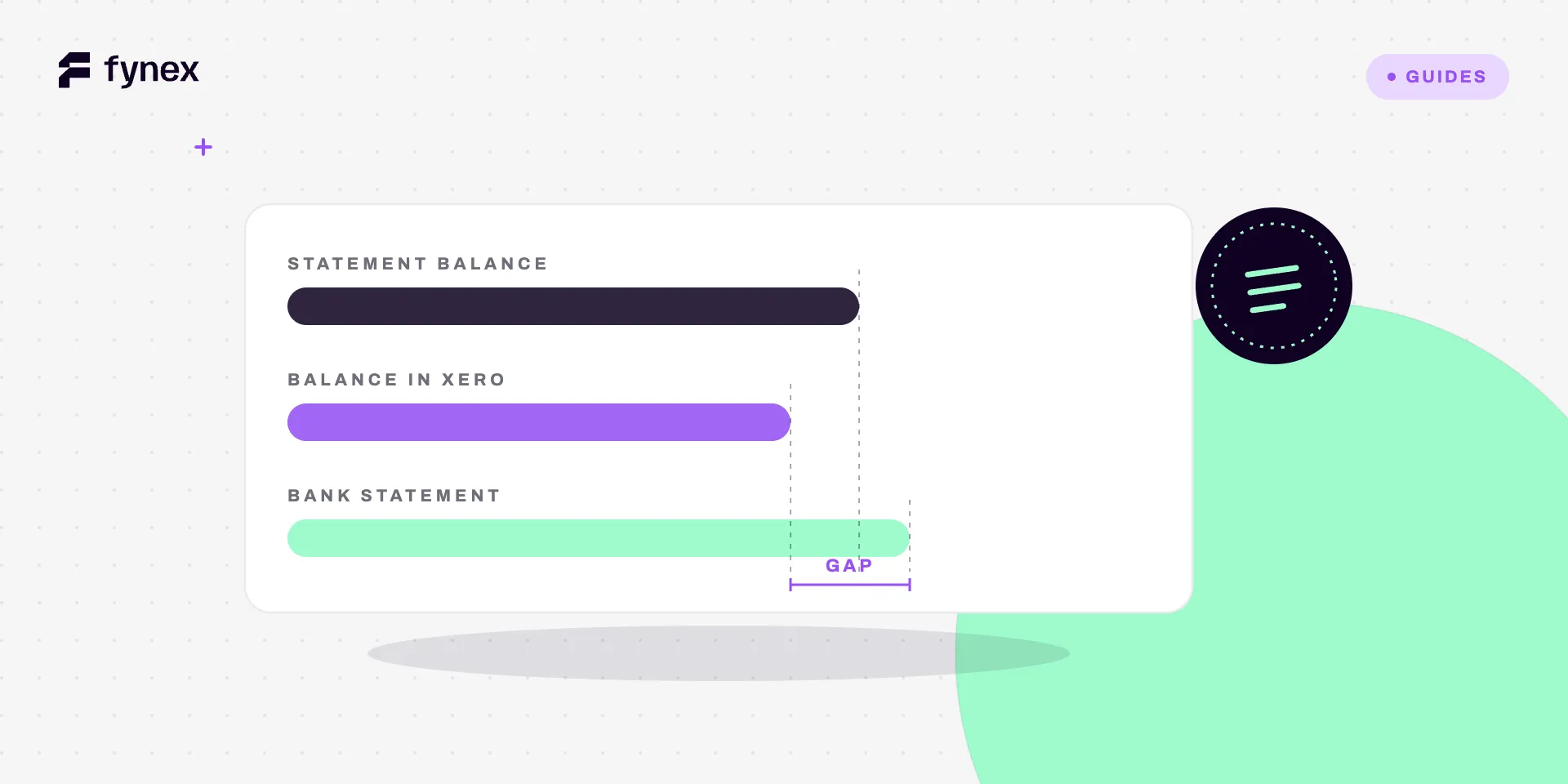
Xero shows you three numbers. They are supposed to be the same number. They are not.
Before troubleshooting anything, be clear about which three, because the difference between them is the diagnosis.
The three balances
Statement Balance — what the bank feed has delivered into Xero. A machine’s account of what the bank said.
Balance in Xero — what the transactions you have entered and approved add up to. Your account of what happened.
Bank Statement Ending Balance — the figure printed on the actual statement from the bank.
The bank statement is the authority. It is the only one of the three produced by the institution that actually holds the money. Everything else is a representation.
That gives you two distinct failure modes, and they need completely different work:
- Statement Balance ≠ real bank statement → the feed is wrong. Missing days, duplicated days, or an outage.
- Balance in Xero ≠ Statement Balance → the entries are wrong. Something is uncategorised, misdated, duplicated or missing.
Establish which one you are in before touching anything. Most wasted reconciliation time is spent auditing entries when the feed was the problem, or the reverse.
The Xero-specific traps
1 · The date boundary
The most common cause by a distance, and the most annoying because everything looks correct.
A payment dated after the reconciliation period’s end date still exists in Xero. It shows in the account. It shows in search. It does not show on the Bank Reconciliation Report for that period, because it is not in that period.
So you go looking for a missing transaction that is not missing. It is present and misdated — usually by one day, usually across a month boundary, usually because someone entered it on the day they did the paperwork rather than the day the money moved.
Check first: does the reconciliation end date exactly match the statement end date? Off by one and every transaction on the boundary day is on the wrong side of the line.
2 · Import overlaps
The feed missed four days. You downloaded a statement from the bank and imported it to fill the gap. You now have duplicates.
This happens because the imported range overlapped days the feed had already delivered — or delivered later, after you imported. Trimming an import range precisely is fiddly and people round outward “to be safe”, which guarantees the overlap.
The fix is to undo the whole import, not to delete lines. Xero can remove and redo an import as a unit. Deleting duplicates by hand reliably removes the wrong copy — the one already reconciled, or the one carrying the categorisation someone spent time on.
3 · Bank rules that quietly go wrong
Bank rules are the best feature in Xero for volume and the easiest way to produce books that balance perfectly and mean nothing.
A rule matches on payee, amount, reference or a combination, then applies a predetermined account and tax treatment. It reconciles. It balances. And if the rule is wrong, the money is now in the wrong account with nobody looking, because a balanced reconciliation stops the investigation.
The classic version: a rule built for a supplier who sold you one thing, still firing two years later when that supplier sells you something entirely different, posting capital purchases to a consumables account.
Audit rules quarterly. For each one, ask whether the thing it matches still means what it meant when the rule was written. This is a fifteen-minute job that catches errors nobody else will ever find. Related: where Xero bank rules stop scaling.
4 · Gross versus net
A processor deposits one amount covering many sales, net of its fees. Your invoices are recorded gross.
Every single deposit is now a discrepancy, and the month’s total difference is precisely your processing cost. This is not something to find transaction by transaction — it is a structural mismatch between how money arrives and how it is recorded, and it needs a rule or a clearing account, not an afternoon of matching.
Platforms and marketplaces have the harder version of this, where one settlement covers many sellers as well as many sales: automating marketplace payout reconciliation covers matching every leg back to the sale.
5 · Unrecorded bank-side items
Fees, interest, FX charges, returned-item charges. The bank knows. Xero does not, because nobody entered them.
Scan the statement for anything that has no counterpart in Xero at all. These are usually small, individually unremarkable, and collectively the entire difference.
The order to work
- Compare the Statement Balance to the real bank statement. Different → the feed is the problem. Stop here and fix that first.
- Check the end date against the statement end date.
- Halve the difference and look for that number — an exact half means a transaction is entered in the wrong direction.
- Sort by amount to surface duplicates, which sit days apart and are invisible sorted by date.
- Scan the statement for items with no Xero counterpart — fees, interest, returns.
- Only now go line by line.
Most differences die at steps 1 to 4. Reconciliation feels like an all-day job because people start at step 6, which is the one step that scales with the number of transactions rather than the number of possible causes.
The thing worth noticing
Every trap above is a version of the same problem: the bank’s record and your record are built by different processes, and compared once a month.
That gap is where all of this lives. A month of small divergences accumulates quietly, and reconciliation is the ceremony where you discover them all at once — with the least context, the coldest memory, and a deadline.
None of that is inherent to bookkeeping. It is a consequence of comparing late. The same work done on the day a payment arrives — while someone still remembers what it was for, while the invoice it settles is still open, while the supplier is still on the phone — costs a fraction of what it costs thirty days later. What an AI reconciliation agent actually does is mostly that: move the comparison from monthly to continuous, so month-end becomes a confirmation instead of an investigation.
Where Fynex fits
Fynex is present when the money moves, so the record does not have to be reconstructed from a feed afterwards. Each payment carries the invoice it settles, the fee deducted from it and the party it belongs to, and that context is written to Xero as the payment happens.
Gross-versus-net stops being a recurring difference because the fee is booked as a fee at the moment it is charged. Import duplicates stop happening because there is one source for the payment record rather than two racing each other. And genuine exceptions — a short payment, an unexpected deduction, a reference that matches nothing — surface the same day, with the underlying detail attached, instead of surfacing as a number at month-end that nobody can explain.
Three balances that agree is a good outcome. Not needing to check is a better one.